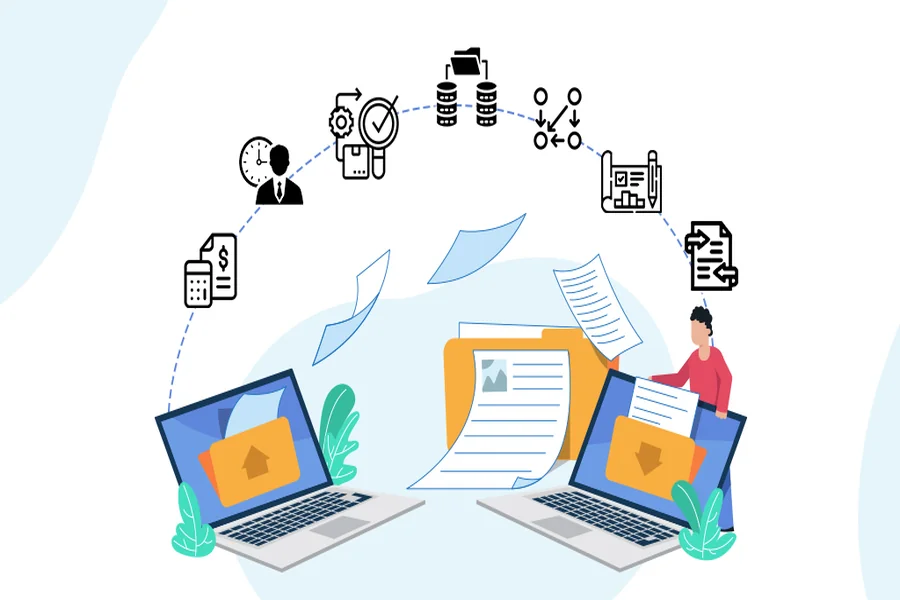
As an operations leader, you likely know the exact sound your aging server room makes. You hear the loud fans working overtime, and you constantly deal with staff complaints about slow applications and network lag. The signs of a failing system are obvious, but the thought of moving all your company data is terrifying.
Operations managers often stick with familiar, outdated systems because they fear the transition process. The anxiety of facing prolonged downtime, catastrophic data loss, and temporary cybersecurity vulnerabilities keeps businesses tied to failing hardware. You might feel that keeping a limping server alive is safer than risking a complete operational shutdown during a move.
However, delaying an upgrade is a massive gamble for your business. Relying on an overwhelmed, single in-house IT person to manage a dying network is far riskier than making the transition. When an old server finally crashes, the resulting panic and operational halt will cost significantly more than a planned upgrade.
Fortunately, a structured, step-by-step server migration led by an experienced IT partner allows businesses to modernize infrastructure without disrupting daily operations. You can leave the heavy lifting to professionals and upgrade your network with complete confidence.
Key Takeaways
- Maintaining legacy IT systems is a massive financial drain and a severe security risk for growing businesses.
- Thorough pre-migration planning, dependency mapping, and automated testing are the secrets to preventing data loss.
- Partnering with local IT experts guarantees a secure, zero-downtime cutover process.
- Post-migration support shifts your business from a reactive break-fix model to proactive network monitoring.
The Hidden Dangers of Delaying Your Server Migration
Holding onto outdated servers creates severe network bottlenecks that directly impact your daily revenue. When your team has to wait minutes just to open a shared file or load accounting software, productivity grinds to a halt. These delays frustrate your staff and slow down your ability to serve clients effectively.
Beyond poor performance, aging systems expose your business to devastating ransomware attacks. Legacy operating systems eventually stop receiving security patches from their developers. This leaves known vulnerabilities wide open, essentially inviting cybercriminals into your network.
Maintaining this outdated hardware requires expensive, reactive break-fix maintenance. According to Gartner research, 70% of enterprise workloads still reside on legacy systems, consuming up to 80% of IT budgets and stifling innovation. You end up pouring money into emergency repairs and obsolete replacement parts instead of investing in business growth.
The financial threat of a compromised legacy system cannot be overstated. IBM reports that the global average cost of a data breach reached $4.88 million in 2024, a risk heavily associated with outdated infrastructure. Hackers specifically target businesses running older servers because they know the security defenses are weak or nonexistent.
When transitioning away from expensive, inefficient legacy infrastructure, having a dedicated partner can mean the difference between a seamless upgrade and a massive data loss event. For businesses looking to modernize safely, partnering with experts in managed IT services in Greensboro ensures your data is protected from the front door of your building to the back door of your servers.
To understand the sheer difference between your current environment and a modernized system, consider this quick comparison:
| Feature | Legacy Server Environment | Modern Managed Infrastructure |
|---|---|---|
| Maintenance Approach | Reactive break-fix emergency repairs | Proactive monitoring and seamless patching |
| Security Posture | Outdated, unpatched network vulnerabilities | Continuous Managed Detection & Response |
| Cost Structure | Unpredictable, expensive hardware failures | Predictable, scalable monthly planning |
| Performance | Frequent bottlenecks and daily software lag | High speed with zero daily disruptions |
A Step-by-Step Guide to a Flawless Server Migration
Moving your company data does not have to be a chaotic or anxiety-inducing guessing game. We completely transition your mindset from the fear of legacy system failure to the structured reassurance of a professional migration framework. A proven methodology takes the stress out of the entire equation.
A successful, zero-downtime migration is achieved through three distinct, carefully managed phases. We leave nothing to chance, ensuring every single file and application moves safely.
You can rest easy knowing a dedicated IT team handles the complex heavy lifting. This keeps your internal staff focused on their actual jobs instead of worrying about offline software.
Phase 1: Pre-Migration Planning and Dependency Mapping
The first step of any successful migration happens long before we move a single piece of data. During the preparation phase, we create a highly detailed, comprehensive pre-migration checklist. This includes establishing a robust fallback strategy, which acts as an insurance policy to instantly revert changes if anything behaves unexpectedly.
Next, we conduct a deep audit of your current IT environment. We map out all application dependencies so nothing breaks when moved to the new server. For example, if your customer management software relies on a specific database, we ensure both move together in the correct sequence.
This meticulous planning is what prevents data corruption and operational halts. Forbes emphasizes that using automation tools and a clear migration strategy is essential to reducing costs and mitigating risks during a transition. A manual “lift and shift” approach simply carries too much risk for a modern business.
Phase 2: Execution and the Final Cutover
The most common question operations managers ask is how long the migration will take and if the business must go offline. The migration begins quietly in the background with initial data synchronization in a highly secure staging environment. Your team continues working on the old system while data is safely copied over to the new infrastructure.
Once the data is synchronized, we prepare for the final switch. Managed IT service providers execute this final cutover process during off-hours, typically late at night or over a weekend. This schedule guarantees absolute zero disruption to your daily workday.
The financial stakes of achieving a seamless cutover are incredibly high for small and medium-sized businesses. ITIC 2024 research indicates that over 90% of enterprises estimate the cost of a single hour of unplanned downtime to be more than $100,000. By handling the cutover while your staff sleeps, we protect your bottom line.
Phase 3: Post-Migration Testing and Optimization
The migration project is not finished just because the new servers are turned on and functioning. We take immediate final steps to guarantee the new server environment is perfectly stable and incredibly fast. It must also be completely secure against modern cyber threats.
Our technicians run rigorous testing protocols immediately after the final cutover. We meticulously verify network speed, test application functionality, and confirm complete data integrity. We want to be certain that every file opens quickly and securely before your employees log in on Monday morning.
Following these tests, we implement robust, multi-layered security frameworks to protect your fresh infrastructure. This includes deploying Managed Detection and Response (MDR) software and advanced endpoint protection. This post-migration monitoring officially shifts your business environment from a fragile, reactive state to a proactive, highly optimized operational methodology.
Why You Need a Local IT Partner for a Seamless Transition
Relying on a single, overworked IT person to manage a project of this scale is a recipe for staff burnout. A comprehensive server migration requires the collective skills of a massive, multi-tiered IT department. Expecting one person to map dependencies, synchronize data, and monitor security alerts simultaneously usually leads to critical mistakes.
This is exactly where a local Greensboro managed service provider offers a distinct advantage. You gain access to enterprise-level IT resources and top-tier security tools for your business. You also get the personalized touch and deep understanding of an IT partner who knows the local Carolina business environment.
Working with a local partner means someone is physically nearby if a complex hardware issue arises. Furthermore, local providers offer flexible service plans and highly customized solutions for your specific industry. This ensures your business gets future-proof technology without paying for bloated, one-size-fits-all packages.
Conclusion
Migrating your company’s servers does not have to result in catastrophic downtime, lost client data, or endless operational headaches. A professional methodology removes the guesswork and risk from the equation entirely. Your team can leave work on Friday and return on Monday to a lightning-fast, fully upgraded system.
The profound risks of staying on a failing legacy system far outweigh the effort of a structured, professionally managed migration. Doing nothing leaves your business vulnerable to expensive ransomware attacks and sudden hardware death. The longer you wait, the more expensive the inevitable failure will be.
You have the power to eliminate daily network bottlenecks and future-proof your growing business. Protect your company data and your budget by reaching out to a trusted local IT partner to plan your seamless server migration today.